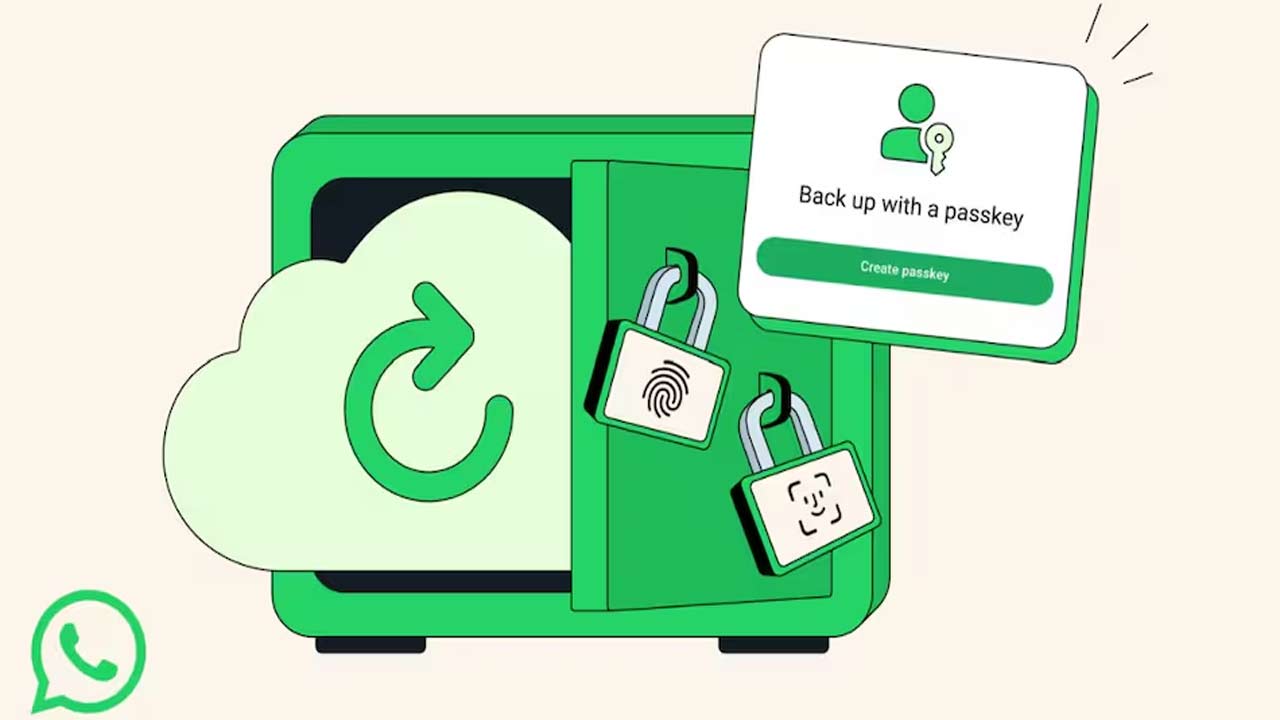


Meta is adding a new security feature to WhatsApp that protects your chat backups using passkeys, so you won’t need to remember a password, or even a six-digit code. Instead, your data will be secured by your fingerprint, face scan, or screen lock, which substantially increases the safety of your sensitive information by effectively blocking hackers and attempts to steal your data.
By using passkey encryption, your backup data is protected in a new way by using your phone’s existing biometric system, such as your face or fingerprint, in addition to your device’s lock code. You will be the only person who can access your chat backup that you encrypted. This system is known as “zero-knowledge” meaning there is no way for anyone, including WhatsApp, to view your backup’s encrypted data.
To get started, simply follow the steps below: open WhatsApp, go to Settings, click on Chats, then Chat Backup, and select End-to-End Encrypted Backup. The passkey encryption setting will be here, so please turn this new setting on, and the device will prompt for biometric verification. Then, successfully complete the authentication, and your chat backup will now encrypt with a passkey.
In the past, there was a lengthy password, and in addition, users had to try and remember a six-digit key. In cases where the user forgot the password, there would be a total loss of data. This new system solves a major problem. Your passkey is stored in your password manager. You now can sign in on any device more easily. This gives you both security and convenience.
This feature will be released gradually to all users. Meta first tested this feature on WhatsApp Beta for Android. It is also now part of the stable app version. This should become available to all devices within the next few weeks. You will need to have your app updated to the latest version. Please be sure to check regularly for software updates in the app store.
Also Read: Where Are India’s Cheapest Smartphone Markets? Find Out How Low Prices Go
 Share
Share
 Amazon Customer Cheated, Receives Tile Instead of Premium Foldable Phone
 Is Rashmika Mandanna The Girl Friend Film Worth National Award?